One connected operating system
Follow the client from first interest to the next visit.
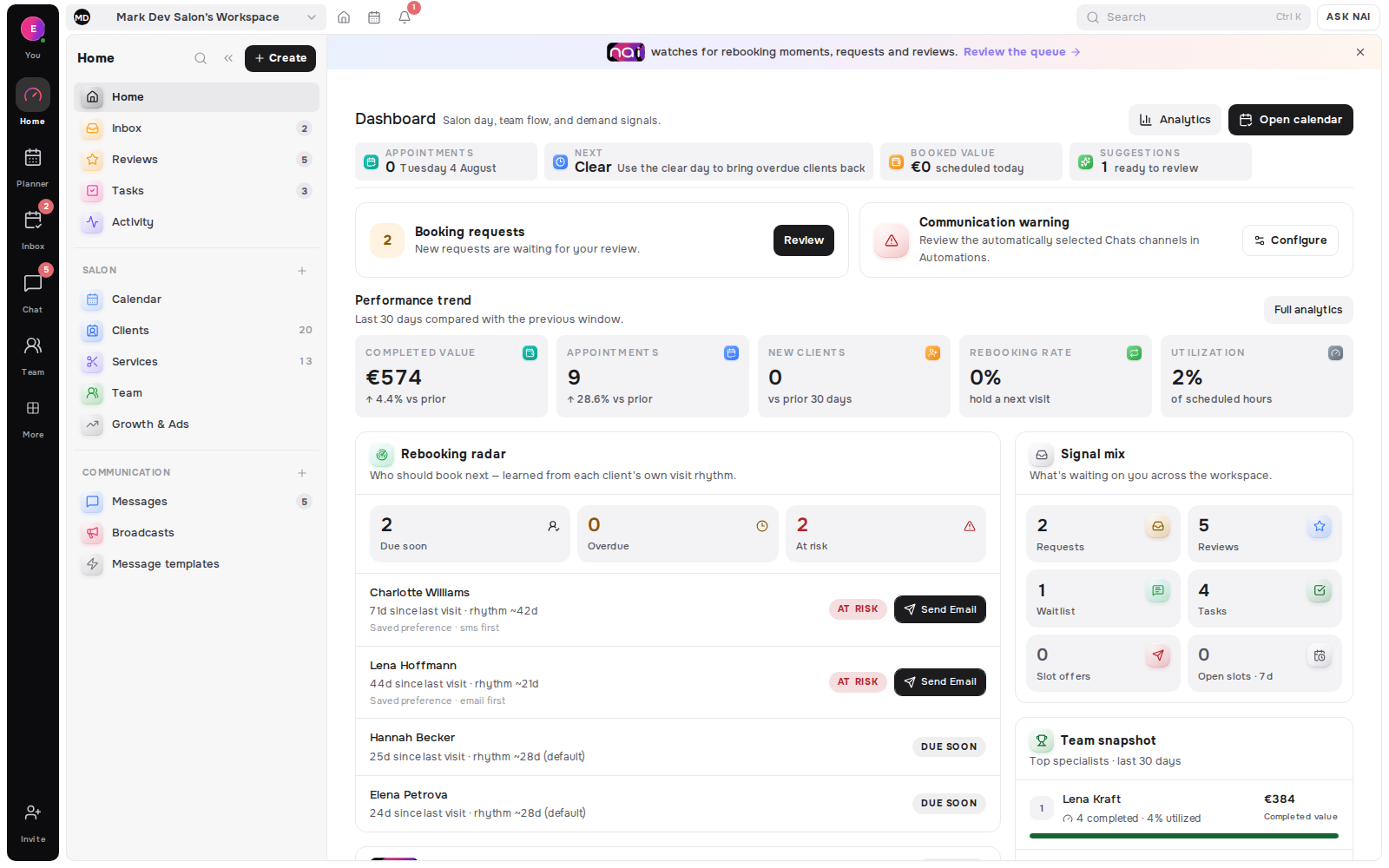
Start with one workspace. Add the structure you need.
Run salon chains, clinics, studios and barbershop groups from shared planning, client memory and communication, with role controls around money and decisions.
Keep each location profile and working week distinct while the team shares one operating view.
Explore team and locationsLet the front desk coordinate the day while specialist access stays scoped to the clients and work they need.
Explore shared messagesStart with one specialist, then add people, locations and reporting as the operating model grows.
Explore analyticsLocations, booking work and client context stay connected while each branch keeps the details that make its day distinct.
Role defaults set the starting access. Per-member changes make that access practical for the way a real front desk and specialist team operate.
Belom keeps operational context connected, then provides clear deletion controls when relationship data must be removed.
Business analytics can narrow the view by location, specialist, service and channel while permission checks protect money fields.
Belom connects client conversations and calendar exports today. Booking deposits take commitment inside the booking flow and route the money to the professional’s own Montonio account.
Full plan detail sits on pricing.
| Capability | Studio 5 | Studio 15 | Network 30 |
|---|---|---|---|
| Monthly price | €19.99 | €49.99 | €79.99 |
| Specialists | Up to 6 | Up to 15 | Up to 30 |
| Locations | 2 | 5 | Unlimited |
| Email allowance per month | 2,000 | 5,000 | 10,000 |
| Included SMS per month | 300 | 700 | 1,000 |
| NAI drafts | Unlimited | Unlimited | Unlimited |
The current enterprise path is a team plan with honest product-led setup, not a separate high-touch service tier.
Team plans start self-serve through sign-up. For a rollout conversation before you invite the team, email hello@belom.app.
Create the services and working hours you want to run in Belom, then invite team members and add locations in stages. A managed data-migration service is not currently advertised.
Questions can go to hello@belom.app. Belom does not offer a contractual response-time or uptime SLA today.
NOT CURRENTLY OFFERED
The payment workflow has its own provider DPA document; that is not a general enterprise procurement package.
Enter your email to continue to Belom. Add people, branches and controls at the pace your team is ready for.
Email sign-in code. No card required.
Belom uses owner, admin, manager and specialist role defaults. A workspace can adjust a non-owner member’s access to areas such as clients, appointments, locations, communication and analytics. Specialist access stays focused on their own work where the workflow requires it.