One connected operating system
Follow the client from first interest to the next visit.
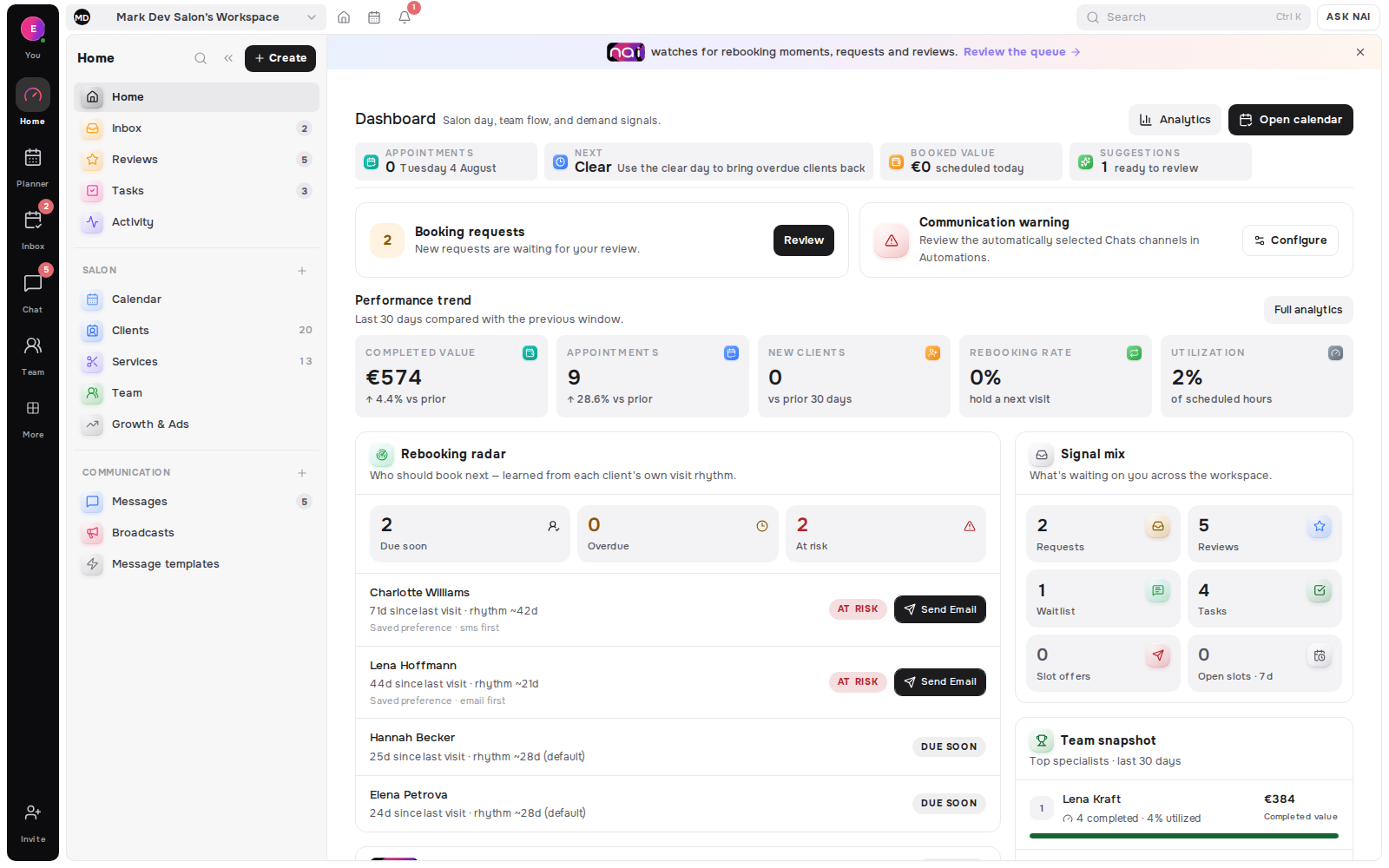
Empty Slot Matcher
When a cancellation or quiet day opens a gap, Belom suggests eligible clients-with waitlisted demand first-and gives the professional a guarded way to make an offer.
No card requiredFree plan included

Calendars that hate cancellations
A cancellation or newly opened availability window leaves a real gap inside working hours, breaks and existing appointments.
Waitlist demand supplies explicit interest; Rebooking Radar can supply the reason a client is due. Service fit, timing, conflicts and contactability narrow the choice.
The professional chooses the recipient and sends a private offer. A valid acceptance rechecks the live window before a booking is created.
Suggestions need recorded demand or return context and live planner data. Delivery depends on usable email, SMS or a linked Telegram fallback.
Belom connects live availability, known demand and a guarded response flow before the open window expires.
Live availability
A newly available window becomes usable inventory while working hours, breaks and existing bookings remain the frame.
Ranked demand
Belom matches service, duration, specialist, location, preferred day and time before placing eligible clients in order.
 Sofia BrownEligible
 Noor SinghEligible
Waitlist first
Open waitlist entries move ahead of wider rebooking candidates, with older equally matched requests kept in their original order.
Sofia BrownAsked 3 SepFirst claimSend offerSent · awaiting client replyGuarded booking
The private response and live window are checked together, so a stale or competing claim closes instead of creating another booking.
Sofia BrownBooked · Fri 15:00Live recheckWindow was still open at 14:41:07Noor SinghOffer closedFrom hole to confirmed
Find the candidates
Belom first checks that the slot is still open, then ranks eligible clients against the work the window can actually hold.
Sofia Brown96%Make the offer
The client receives the service, date, time, duration and expiry, then accepts or declines without needing an account.
Known demand first
Service and availability preferences determine fit. Older equally matched entries stay ahead, and automatic mode can move through them sequentially.
No double booking
Acceptance uses Belom’s guarded booking path. The slot, offer and availability rules are rechecked together before the appointment is created.
1 winner
per live slot offer
2 channels
email or SMS delivery
€0
to start, no card required
1 month
free on annual billing
The window is checked again at the moment a client accepts.
Breaks, days off and blocked time remain unavailable.
Clients with a conflicting appointment do not enter the candidate list.
A response window closes with the opportunity it represents.
Each recipient gets an accept-or-decline path tied to that offer.
Accept and decline controls work from the private response page.
Choose manual, draft-first or automatic sequential offers.
Preparation, delivery, response and expiry stay recorded.
The confirmed result appears in the planner and request record.
The Belom platform
Belom keeps the planner, client history and approved communication connected in one place.
Known demand and first-claim order
Clients with a reason to return
Live availability and confirmed fill
Private offer delivery and response
Waitlist entry from the booking flow
Open-slot work in the morning queue
A candidate is not a guaranteed fit or a guaranteed booking. The professional reviews the reason, chooses the recipient and controls the send.
An offer needs usable contact data and an available delivery rail. SMS also depends on an active, sendable setup with credit.
Acceptance rechecks live availability. An expired, filled or otherwise unavailable window closes instead of creating a second appointment.
Built around your results
Belom suggests candidates; a booking exists only after a valid client acceptance.
Every returning client, filled slot and hour saved adds to the value of your subscription.