One connected operating system
Follow the client from first interest to the next visit.
Belom · Who it's for
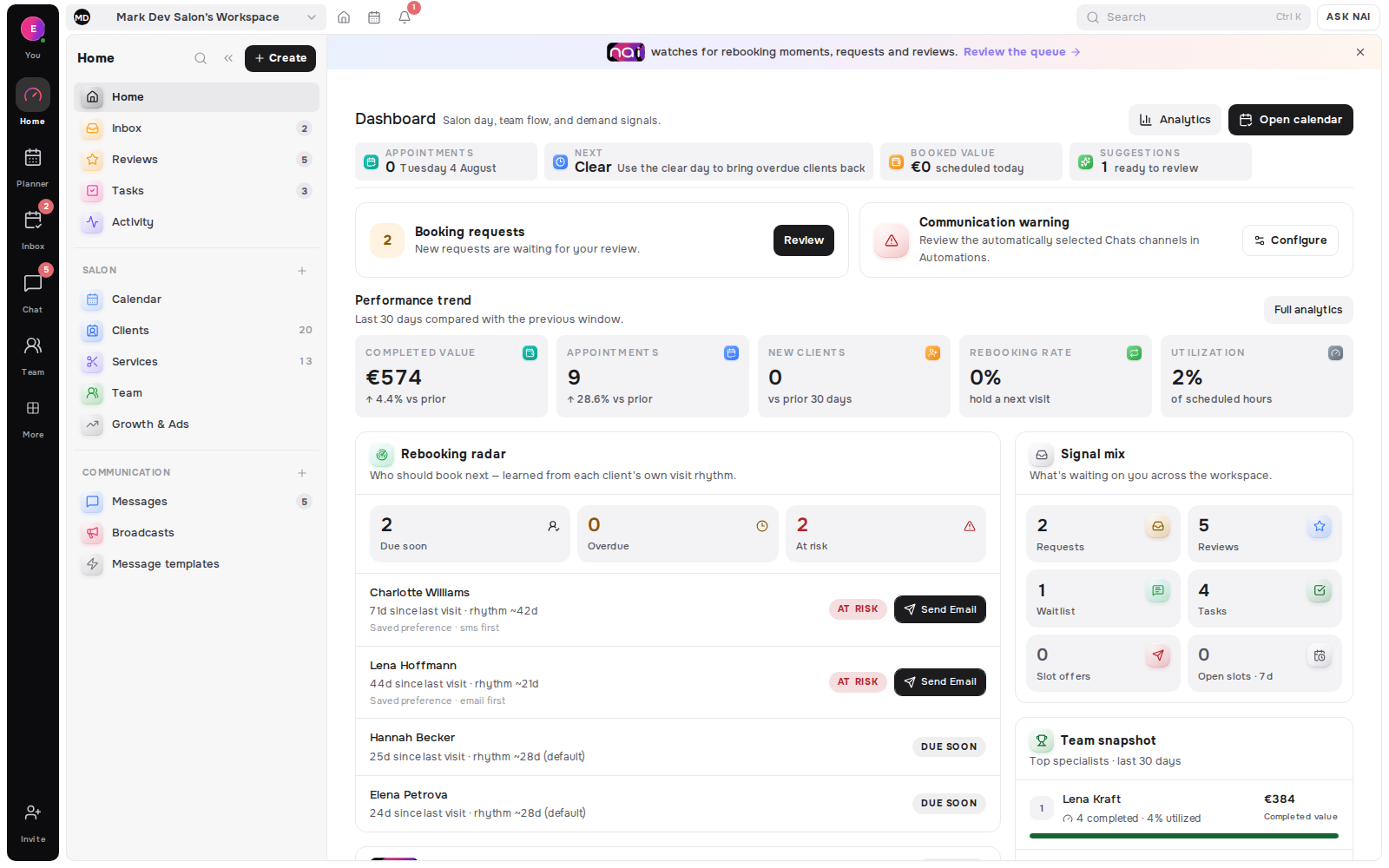
Belom brings the team calendar, shared client context and daily booking decisions into one workspace. Owners and front desks can coordinate the whole operation, while each specialist works inside assigned services, hours, locations and permissions.
For salons, clinics and studios working together under one roof
The handoff problem
A busy service team can have a full calendar and still lose clarity. A request waits in one inbox, a specialist’s changed hours live in a message and the client explains the same preference again. Belom creates one operational source without giving every person access to everything.
Bookings, tasks, requests and availability need to be readable together so a move does not create a conflict somewhere else.
The relevant appointments, clients, services and working time should be close at hand, while private notes, revenue and wider records remain permission-controlled.
Visit history, preferences and conversation context stay on the shared client record, so the next qualified teammate can continue the relationship without asking the client to rebuild it.
One operating view
Belom’s team model connects the planner to the people, services and permissions that make an appointment valid. It is a shared workspace with scoped views, not a shared password or a pile of copied calendars.
The planner can split a team day into specialist columns, keep unassigned work visible and protect moves with live availability rules.
Explore Planner & CalendarAn invitation can carry the teammate’s role, assigned services, locations and initial hours. Pending invitations remain visible until they are accepted.
Explore Team & LocationsVisits, preferences, notes and conversations stay on one record. Role and field-level permissions determine which parts each teammate can read.
Explore Client MemoryFrom request to appointment
A team booking is only useful when the service, specialist, hours and decision path agree. Belom keeps those facts connected from the public offer through the request queue and into the shared planner.
The catalog stores the name, duration, price format, category and booking mode, then feeds the public page and planner from that same definition.
Explore ServicesService and location assignments determine whose time can be offered. Regular hours, date-specific availability, breaks and days off keep each person’s bookable frame accurate.
Booking requests, alternative times and waitlist demand stay visible with client context and team activity, so the authorised person can accept, decline or continue the conversation.
Explore Requests & WaitlistPlan guidance
The solo plans are built for one specialist. Studio 5 is the first team tier in the current pricing structure; Studio 15 and Network 30 support larger operating shapes. Use the pricing page for the live specialist and location limits instead of relying on copied numbers here.
Count the people and locations that need active workspace access, then compare the current inclusions, channel entitlements and add-ons.
Compare team plansThe product directory connects team operations to booking, messages, client memory, analytics and rebooking tools.
Explore all productsStart a workspace for the team you have now, then choose the current plan that matches its seats, locations and communication needs.