Your results come first.
Client memory. Booking. Rebooking.
Belom helps bring clients back, fill your calendar and free your time. NAI uses client memory to help you take the next step.
Channels + context → one client memory
Client touchpoints. Business context. One connected Belom.
Instagram, WhatsApp, Messenger, SMS, branded web booking and smart links meet client history and connected channels. Deposit and growth operations turn the same context into clearer decisions.
- InstagramDMs linked to each client
- WhatsAppChats, templates and reminders
- MessengerPage messages in one inbox
- SMS & remindersAutomatic appointment reminders
- Custom profile designWeb booking, your brand and Meta Pixel
- Smart links & QRSlot, service and book-again paths

One client. Full context.
Listen · remember · act
Meet clients everywhere
Instagram, WhatsApp, Messenger, SMS, branded web booking and smart links feed one client record.
Keep the full context
Visits, requests, availability and connected channels stay attached to the right person.
Create the next booking
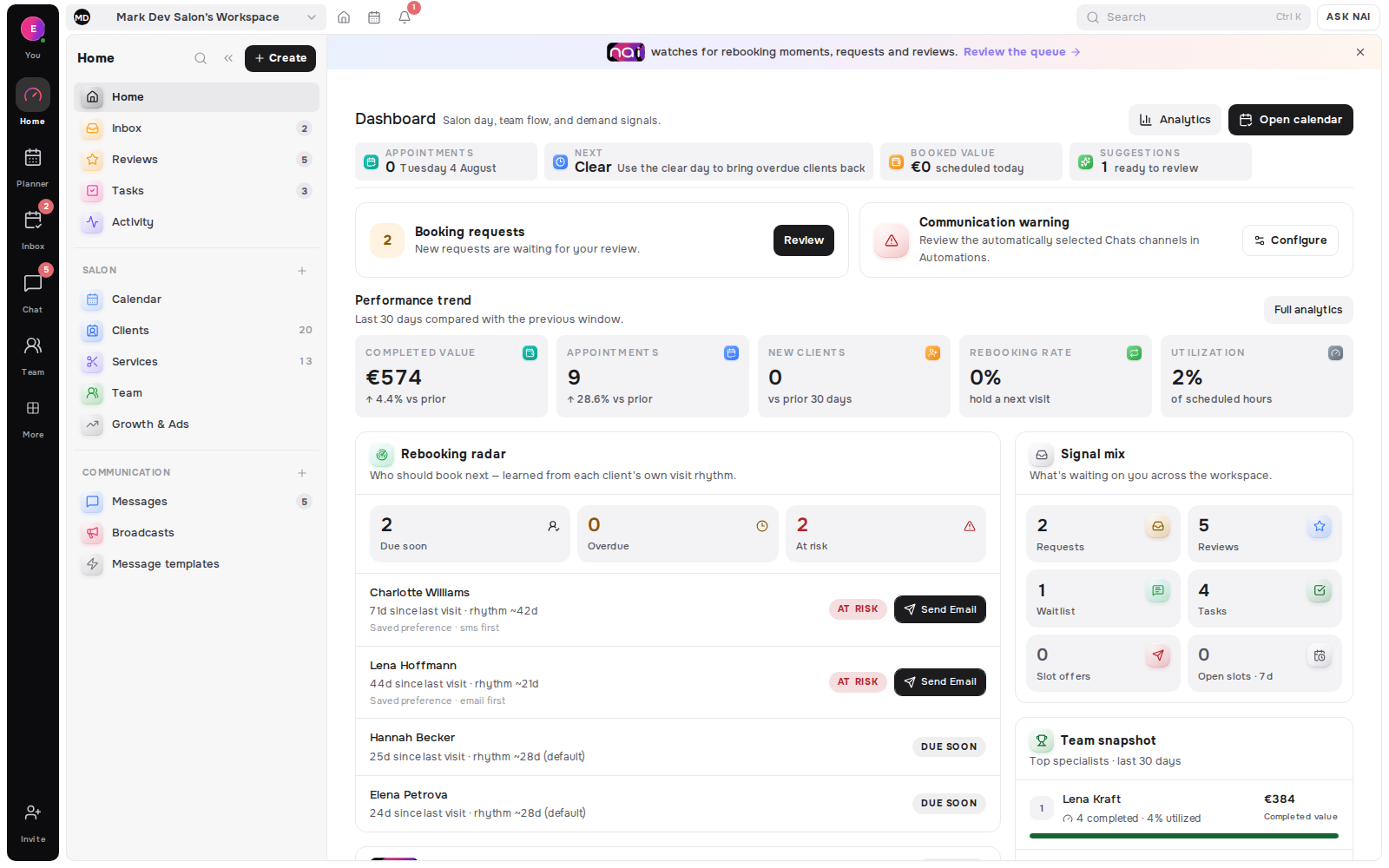
Rebooking Radar and Empty Slot Matcher show who should book next and why.
Signals become next actions
- Client MemoryVisits, notes and preferences
- Calendar & requestsBookings, approvals and availability
- DepositsDeposit rules with no Belom commission
- Waitlist & open slotsDemand matched to free time
- Google Ads & BusinessCampaigns grounded in your real bookings
- Meta AdsCampaign content tied to booking context
One thread through the business
One client journey. Three connected parts of Belom.
From the first conversation to a confirmed appointment, every step stays connected to the same client.
Online booking
From first look to booked.
Your services, prices, specialists and live availability become one clear journey from discovery to booking.
Chat
Every conversation, connected.
Instagram, WhatsApp, Messenger and Telegram messages sit beside the relationship, preferences and booking actions.
Planner
One calendar. Every booking.
Appointments, skills, availability, rooms, waitlist and requests resolve against the same working calendar.
NAI is ready for your command.
Your clients. Your AI.
NAI works toward your next result: a returning client, a filled slot, time back. It knows the context and helps you act.
Context
NAI connects visits, messages and preferences. Every client arrives with their story.

Mia Nakamura

Hi! Is Thursday evening free for my usual brow shaping?
Mia Nakamura
Due soon · prefers Thursday evenings · WhatsApp saved
Mia Nakamura
Intelligence
Knows who is due back and which slots fit. Prepares the next step for you.
Thursday 18:00 became free
Ready for your approval
Your voice
Ask in your own words. Get a personal reply in your client’s language, ready to review.
Thursday 18:00 works - offer it and ask if she wants the booking link
Hi Mia! Thursday 18:00 with Lina works - shall I send you the link?
shorter, friendlier
Your business moves forward
What you pay for: results.
More returning clients, filled appointments and time saved. The more you achieve with Belom, the more value you get from your subscription.
Memory & preferences
Usual services, preferred times and past visits stay with each client. NAI uses that history for the next conversation.
Connected conversations
WhatsApp, Instagram, Messenger and Telegram share one inbox, with the client’s history beside every conversation.

Rebooking & availability
See who is ready to return, find a suitable opening and prepare bookable hours from a simple instruction.
Campaigns with context
Turn your brief, services and free slots into a campaign draft. Review the creative and budget before launch.



Your booking page
Prepare a page around your services, style and availability. Give every client a clear path to their next visit.
Income & expenses
Describe an income or expense by text or voice. NAI prepares a transaction draft for you to check and confirm.
Nothing client-facing is sent or published without approval.
See plansGet discovered.Get booked again.
Your page, content and campaigns work together — from the first click to the next visit.
A page that feels like you.
Your brand, services and reviews. One place for clients to find you and book.

Booked
Thursday · 18:00
Real times. Ready to book.
Clients choose from your live availability, without waiting for a reply.
Mon
12
Tue
13
Wed
14
Thu
15
Fri
16
Sat
17
Sun
18
Mia NakamuraBookedA plan for your next post.
Keep Instagram and Facebook content on one calendar, ready for your next campaign.
Tue
13
Wed
14
Thu
15
Fri
16
Sat
17

Micro-French reveal
Pearl line carousel
Put your work in front of new clients.
Build Meta and Google campaigns around your services and open slots. Review before launch.


Ad · Google Search
Manicure in Tallinn | nailflower studio | book online
Explore manicure services, prices and live availability in Tallinn. Choose your time and book online.
Book nowOne link. Every touchpoint.
Share your booking page in your bio, messages or a QR code.
Your booking page
See what brings clients in.
Connect the campaign to the booking and the client behind it.
Came from
Mia Nakamura
Thursday · 18:00
Saved to Client Memory
Make the next visit personal.
Services, preferences and past visits stay with the client, ready for their return.
Mia NakamuraIllustrative placement
Solo Specialists And Teams
Different working days. One connected client story.
Belom changes with the way the business works - from one specialist to a shared front desk - without splitting the client across disconnected tools.
Explore all products
The workspace that remembers the client while you do the work.
Tutor or personal trainer
Solo operations
A tutor or personal trainer can keep sessions, messages, Client Memory and return opportunities together, so lesson plans or training goals do not disappear into admin.

Share the relationship without turning it into a hand-off.
Salon or physiotherapy team
Team workspace
A salon or physiotherapy team can share clients, services and availability while each specialist keeps the context needed for the next visit.

See the request, the open slot and the right client at once.
Photographer or dog groomer
Shared operations
A photography studio or dog groomer can review booking requests, waitlist matches and today’s gaps without rebuilding the story across separate tools.
Frequently asked questions about Belom
Clear answers about client memory, booking, rebooking, and who Belom is built for.