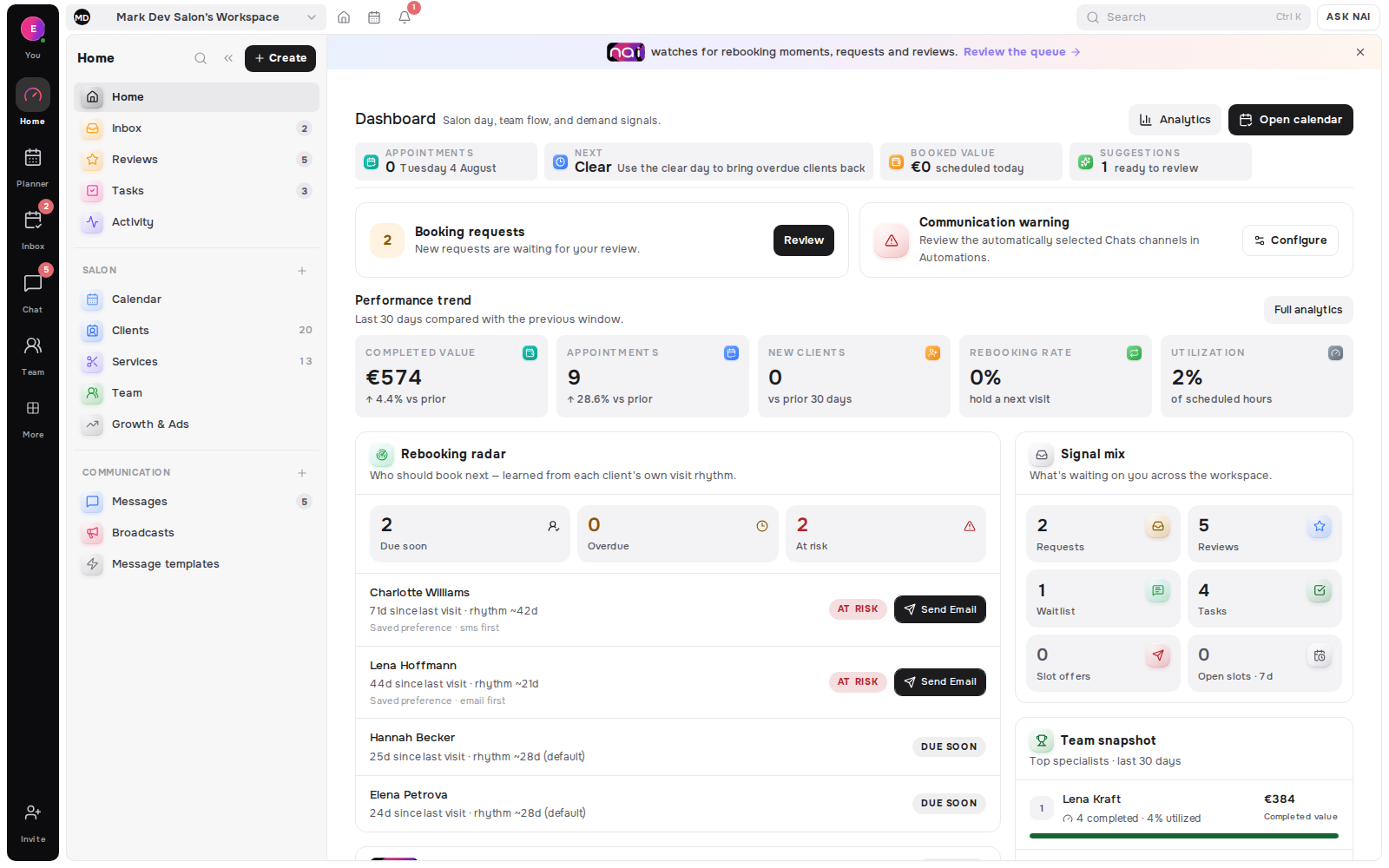
You can publish a working booking page in one evening if you do four things in order. Write down the facts that decide whether someone can book, build the service catalog once, add the working hours you can actually keep, then publish one page and test it on a phone. Everything else - photos, copy, a second language - is a later evening.
A booking page is useful when it reflects the way you actually work. That means the service names are clear, the duration is realistic, the price is honest and the available times come from working hours you can keep.
The goal for one evening is not to perfect every sentence or upload every photo you have ever taken. It is to publish a dependable first version that a client can understand and use.
Key takeaways
- Do it in order: decisions, catalog, hours, page, test. Skipping to the page is why setups stall.
- Publish the hours you can keep, not the widest ones. A page that overpromises creates a daily rescheduling habit.
- Test on a phone as a client, not as the owner. Most defects are only visible from that side.
- Booking flows on the big platforms are blocked from search engines by their own robots.txt, so the page is a link you distribute rather than a page you rank.
- Book returns close. Attendance falls measurably as the horizon grows.
Start with the decisions clients need
Before opening the editor, write down the small set of facts that decide whether someone can book:
- The services you want to accept now.
- The normal duration of each service.
- The price or price format clients should see.
- Who performs each service, if you work as a team.
- Where the appointment happens.
- Whether the service can confirm instantly, needs review or should begin as a request.
Keep the first list tight. An internal service does not need to appear publicly, and an offer you are not ready to deliver does not belong on the booking page yet.
This is also a useful moment to simplify names. A client should not need your internal shorthand to understand the difference between two services. Use the words you already use when explaining the work in person.
Build the service catalog first
Belom uses one service catalog across the public page, booking flow and planner. Set each service once with its name, description, category, duration and pricing mode.
The pricing mode matters. Use a fixed amount when the price is known, a starting price or range when the final amount varies, and an on-request format when quoting is part of the work. The public page should communicate reality before a client chooses a time.
For every service, decide its visibility and booking mode:
- Instant is for work that can confirm against live availability without another decision.
- Review first lets the client choose a time while you keep the confirmation step.
- Request only collects the client's intent so you can arrange the details together.
- Internal only keeps the service available to the team without showing it publicly.
If you run a team, connect each public service to the specialists and locations that can deliver it. Belom checks those assignments before offering specialist-specific availability.
Add working hours that protect the real day
Availability is only trustworthy when the working frame is trustworthy. Add the regular hours you intend to keep, then account for breaks, days off and known exceptions.
Do not publish the widest possible schedule just to make the page look open. Publish the hours you can serve without creating a daily rescheduling habit.
For a solo workspace, that means one clear working timeline. For a team, keep the specialist and location schedules aligned. A service should not appear bookable with a person or at a place where it cannot happen.
Belom resolves public starts from the current working calendar. Existing appointments, working hours and blocked periods all affect what the client can choose. When those inputs change, the booking path follows.
Give the public page one clear job
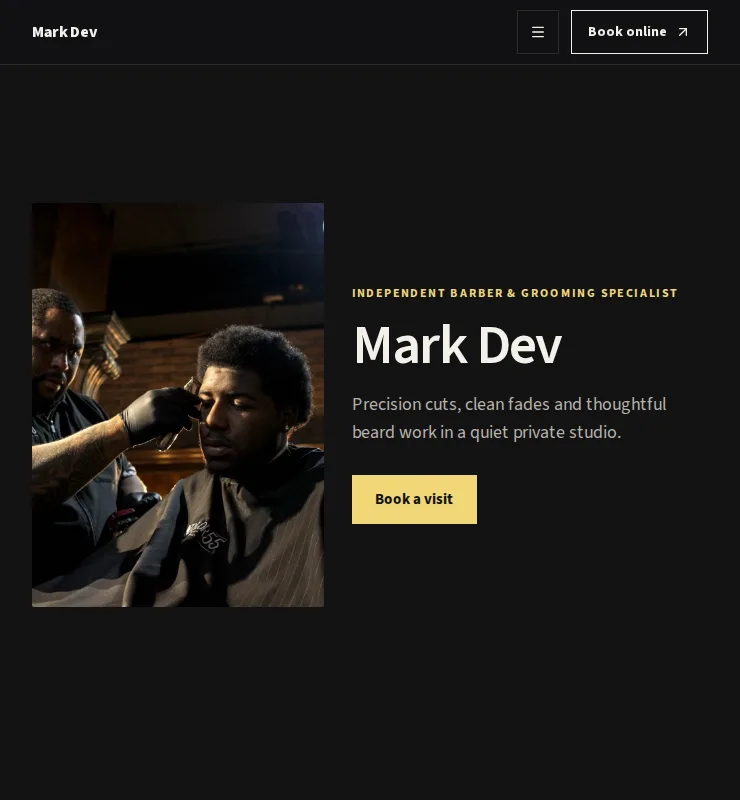
Your public page can carry services, work, locations, team context and the booking action. It can stand on its own or sit behind a button on an existing website.
For the first version, focus on clarity:
- Say what kind of work you do.
- Put the most useful services near the front.
- Use a short description that helps a client choose.
- Show the real price format and duration.
- Make the booking action easy to find on a phone.
Clients do not need to install an app. They can open the page in a browser, choose a service and available time, then leave the details needed for the booking or request.
Before sharing it, open the public page as a client would. Start on a phone. Select each public service, check the date and time choices, and read the confirmation step. Fix anything that would make you stop and ask a question.
Decide early what the page shows when nothing is free, because that screen is the one most setups forget. We covered it in what your booking page should show when there are no free times.
Create the link you will actually share
A general public page is useful, but not every conversation needs the whole catalog. Smart Links let you prepare focused routes for a service group, campaign or specialist.
Use one clear route for the place where it will live:
- A profile link can open the main booking offer.
- A direct message can open the service you were already discussing.
- A specialist can share a focused path with the right services and live availability.
- A QR can place the same booking route on a counter, mirror, card or window.
The QR points to the live URL. If you update the service or availability rules in Belom, the current offer can change without replacing the printed code, as long as the link remains active.
Two numbers worth knowing before you open the calendar
How far ahead you let people book is a real setting with a measurable cost. Across 46,655 appointments, no-shows ran at 9.1% (lead-time analysis, 2015) when the booking was made within two weeks, and reached 38.3% (same analysis) at a six-month horizon in the same clinic. An unlimited booking horizon is not a neutral default.
Reminders are the cheapest correction available. A review of 29 studies put median non-attendance at 23.1% (systematic review, 2011) before reminders and 12.5% (same review) after, at an average cost of €0.41 per reminder. Turn them on the same evening you publish the page.
Run a final booking check
Use a simple launch checklist:
- Public services have clear names, duration and pricing.
- Each service uses the right confirmation mode.
- Specialist and location assignments are correct.
- Regular hours, breaks and days off reflect the real calendar.
- The public page works on a narrow phone screen.
- Every shared link opens the intended service set.
- The QR opens the same route after scanning.
- A test booking or request lands in the working planner with the right service, time and client details.
You can improve photos and copy later. The important first result is a booking path whose promises match the calendar behind it.
Once that path works, share one URL consistently. Put it where clients already decide to act, then keep the catalog and working hours current inside Belom instead of rebuilding the route in every connected channel.
[ORIGINAL DATA] The big platforms block their own booking flows from search
Methodology. On 19 August 2026 we retrieved the robots.txt file of three international booking platforms with a standard HTTP client. We read only the crawl rules that apply to the User-agent: * group. Sample size: three files, one request each, retrieved in full. A robots rule states an instruction to crawlers, not a guarantee of what any search engine does.
All three block the client-facing booking path. None of them blocks the business profile.
Fresha disallows the steps of the flow one by one: *booking/menu*, *booking/time*, *booking/staff/*, *booking/?* and /search*. The same file then lists sitemaps for landing pages, "lite venue pages" and "professional profiles", so the profile is meant to be found while the flow behind it is not.
Booksy disallows /book/id/, /*/l/book/, /widget/ and /search/, along with a long list of query parameters such as ?bookingId= and ?businessId=.
Square, in a file dated 05/11/2026, disallows */appointments/book/profile/.
| Platform. | Booking path blocked. | Profile indexable. |
|---|---|---|
| Fresha. | Yes - menu, time, staff and query forms. | Yes, with dedicated sitemaps. |
| Booksy. | Yes - /book/id/ and /*/l/book/. | Not blocked. |
| Square. | Yes - appointments/book/profile/. | Not blocked. |
[UNIQUE INSIGHT] This settles an argument people have every week. A booking page on a marketplace is a distribution artefact, not an SEO asset, and the vendors say so in a file anyone can read. The flow is blocked because it is stateful, parameterised and endless - crawling it wastes budget and surfaces broken half-states - but the consequence for you is the same regardless of the reason. Nobody is going to find that link by searching. Which means the effort that actually pays is the surface you control: the profile, the page on your own domain, and the link you put where clients already are. Set the booking flow up for the client who already has the link, and treat being found as a separate job with separate tools.
Definitions used in this article
A booking page is the public page where a client picks a service and a time without messaging anyone, such as a profile link or a QR route.
Booking mode is the rule for what happens after a client picks a time, for example instant confirmation, review first, or request only.
Pricing mode is how the price is expressed - a fixed amount, a starting price, a range, or on request.
Booking horizon is how far into the future clients may book, and it changes attendance rather than just convenience.
A smart link is a focused booking route that opens a chosen subset of the catalog rather than the whole page.
FAQ
What is the fastest order to set a booking page up?
Decisions, catalog, working hours, page, phone test. Opening the page editor first is the usual reason an evening turns into a week.
How many services should the first version show?
Only the ones you are ready to deliver now. A short, accurate catalog converts better than a complete one full of caveats.
How far ahead should bookings open?
Far enough for regulars to plan, not so far that bookings decay. Attendance falls as lead time grows (2015 lead-time analysis).
Will my booking page rank in Google?
On the big marketplaces, the flow itself is disallowed in their own robots.txt, so plan to be found through your profile and your own domain instead.
Do I need photos before publishing?
No. A correct catalog and honest hours beat good photos attached to the wrong duration.
What should the page do when nothing is free?
Show the next real date and a waitlist that records preferences, never a blank grid.
Where this goes next
Once the page is live, the next questions are what it shows when the calendar is full, and what happens after a visit. Those are covered in what a waitlist has to store and the client who comes back.
Editorial note: written by the Belom product team from how the product actually works, not from vendor marketing. More about Belom, or contact us with a correction. Reviewed 19 August 2026.