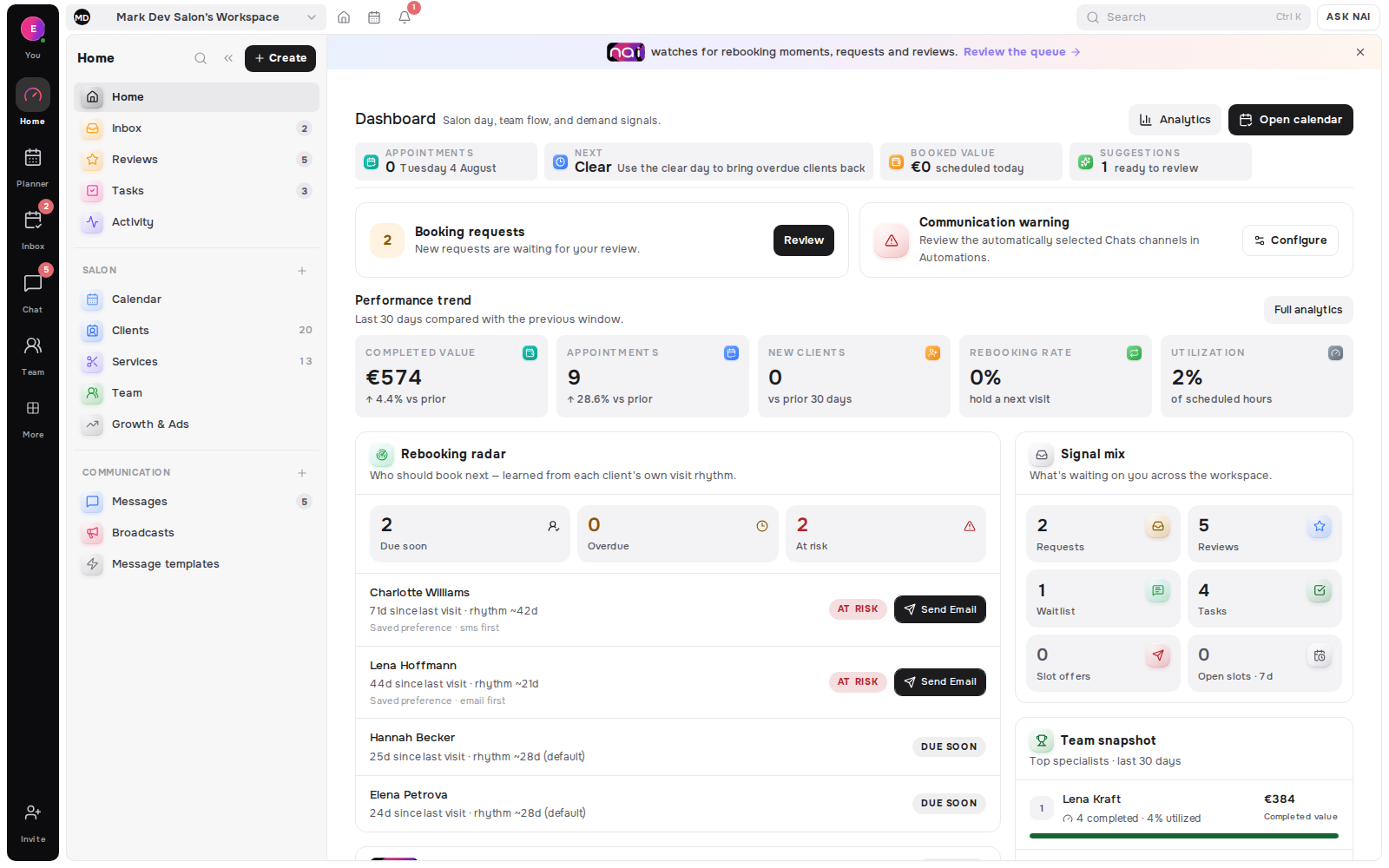
A waitlist fills slots only when it stores six things about each client. Those are the service, the specialist or a note that any will do, and the earliest and latest date that works. Then the band of hours that works, the shortest notice they can act on, and the channel they actually read. A list of names and phone numbers cannot be matched to a Thursday 14:00 opening. It can only be broadcast to, which is a different and far worse thing.
Most booking tools ship a waitlist. Far fewer ship the fields that make one useful. The gap is easy to miss, because both versions look the same on the admin screen: a list, some names, a count.
Key takeaways
- A waitlist is a matching input, not a mailing list. Six fields decide whether matching is possible at all.
- The field almost everyone skips is acceptable notice - the shortest warning a client says they can act on.
- Store the channel the client reads, not just a phone number. An offer in an unread channel expires unread.
- Filtering turns one opening into two or three good candidates. Broadcasting turns it into thirty messages and one booking.
- No major vendor publishes the list of fields its waitlist stores. Check yours before you trust it.
A list of names is not a waitlist
Picture a Thursday. A client cancels at 09:10 for a 14:00 appointment. You open the waitlist and see eleven names.
Now what? You do not know which of them wants this service. You do not know which of them can be anywhere near you in five hours. You do not know which of them reads SMS and which has not opened email since spring. So you send eleven messages, four people answer, and you disappoint three of them.
That is not a waitlist failing. That is a list of names doing exactly what a list of names can do.
The six fields, and what each one decides
Each field exists because it removes a specific guess. Drop one and you put that guess back.
Service. Decides whether the client fits the hole. A 45-minute gap cannot hold a 2-hour appointment, and offering it wastes the message and the client's attention.
Specialist, or "any". Decides who the opening belongs to. In a salon this is the difference between one candidate and the whole waitlist. Clients who tick "any specialist" are the most valuable entries you have, and they should be marked as such.
Earliest and latest date. Decides whether this week is even in scope. Someone waiting for October should not be offered a slot tomorrow, and someone who needs it before a wedding on Saturday should never be buried under people who do not.
Time band. Decides whether 14:00 works. Morning, afternoon, evening - three checkboxes remove most of the mismatch in one step.
Acceptable notice. Decides whether a same-day offer can go to them at all. More on this below, because it is the field that carries the most weight and gets left out most often.
Channel. Decides whether the offer is read in time. A perfect match sent to a dead inbox is a slot left empty.
| Field. | Question it answers. | What breaks without it. |
|---|---|---|
| Service. | Does the client fit the gap? | Offers that cannot physically be booked. |
| Specialist or "any". | Whose opening is this? | Whole list messaged for one person's slot. |
| Date range. | Is this week in scope? | People offered dates they already ruled out. |
| Time band. | Does this hour work? | Most of your rejections. |
| Acceptable notice. | Can they move today? | Same-day offers sent to people who need two days. |
| Channel. | Will they see it in time? | Offers that expire unread. |
The field everyone skips: acceptable notice
Ask a client how short a warning they can act on and you get a useful number: two hours, one day, two days. That number sorts your list into two piles that behave completely differently.
Clients who can move within hours are your same-day rescue list. Clients who need two days are useless for a 09:10 cancellation and excellent for a cancellation that arrives on Monday for Thursday. Neither is a better client. They are answers to different questions.
Without the field you treat both piles the same, which means you send same-day offers to people who cannot take them and then conclude the waitlist does not work.
Store the channel, not just a number
A phone number is not a channel. It is six possible channels, and the client uses one of them.
Ask which one, store it, and send there. This costs one extra question on the form and removes the most common failure in the whole loop: a correct offer, sent to the right person, at the right time, into a place they check twice a day. By the time they read it the slot is gone, and the client is left with the impression that you offer things and then take them away.
If your messages arrive across several apps, keeping them in one place is the other half of this problem - we wrote about that in one inbox for WhatsApp, Instagram, Telegram and SMS.
Filtering beats broadcasting, and there is evidence
The case for fields is not tidiness. It is the acceptance rate.
One health system ran short-notice openings at scale for nine months. It sent 60,660 offers and 11% (self-rescheduling cohort study, 2024) were accepted, which still added 2,576 service hours and moved the median visit 14 days earlier (2024 cohort). Read the other way, nearly nine offers in ten landed on someone the slot did not suit.
Messages also cost something. A review of 29 studies put the average reminder at €0.41 (systematic review, 2011), with SMS and automated calls at €0.14 (same review) and manual phone calls at €0.90 (2011 review) per patient. Broadcasting is not free, and the part you cannot invoice is the client's patience.
Timing matters as much as targeting. In a study of 46,655 appointments, no-shows ran at 9.1% (lead-time analysis, 2015) when the booking was made within two weeks and reached 38.3% (same analysis) in the same clinic at a six-month horizon. A slot filled this week is worth more than the same slot filled far ahead.
What this looks like in Belom
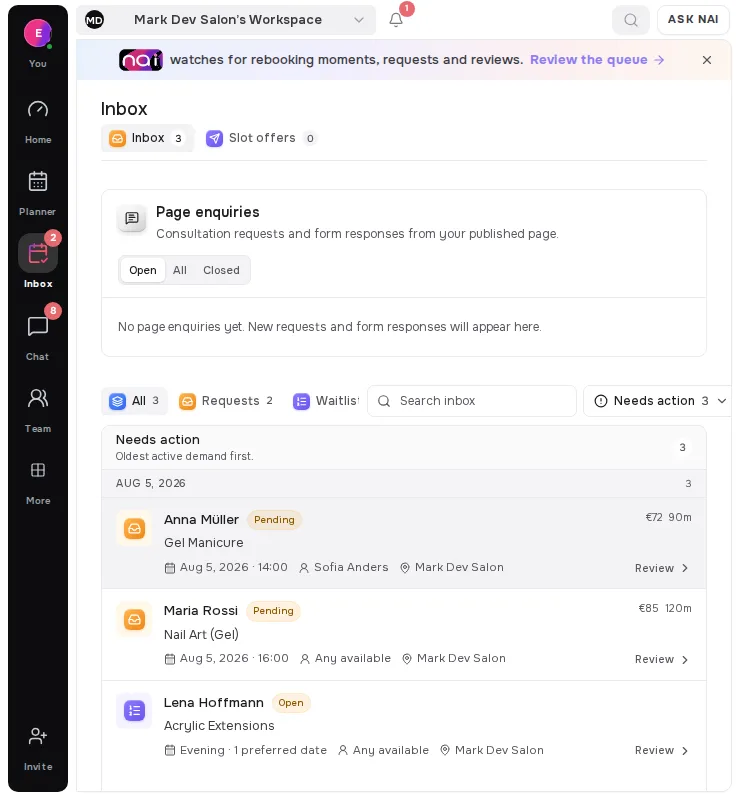
The waitlist form asks for the six fields, and the matching runs on them. When a slot frees, the client is picked because their own stated preferences cover that day, that hour and that notice - not because they were on a list. The offer goes to their channel with a link that either books or expires.
That is also why the form is slightly longer than the usual "name and phone". The extra thirty seconds is what turns eleven messages into two.
[ORIGINAL DATA] What the platforms document, and what they do not
Methodology. On 19 August 2026 we requested the public waitlist documentation of six booking platforms with a standard HTTP client and recorded only what the pages state in writing. Sample size: four platforms returned readable documentation; Acuity and Booksy returned HTTP 403 to a non-browser request and are marked unverified rather than described. We read documentation only and did not observe live booking pages.
The result was consistent enough to be worth stating plainly: not one of the readable pages publishes the list of fields its waitlist stores.
Square comes closest. Its documentation names two client-side captures - "Select the services requested" and "Add at least one availability preference" - plus a business-side "Staff note" field. It does not say what an availability preference contains, and the waitlist is limited to Plus and Premium plans.
Fresha confirms preferences exist without listing them. Clients can "view their updated preferences anytime by logging into their Fresha account under their waitlist entry", and notifications go out by email, text or WhatsApp. The order is documented: "the next client in line will be notified if the first client doesn't book within the set timeframe."
Mindbody documents behaviour rather than data. Auto-add "moves waitlisted clients to the roster as spots open, based on when they joined the waitlist". First to Claim "texts waitlisted clients as spots become available, adding the first to respond." Join order is the only attribute either mode needs.
| Platform. | Fields documented. | Matching input it implies. |
|---|---|---|
| Square. | Services requested, availability preference, staff note. | Service and some notion of availability. |
| Fresha. | None listed; preferences exist and are client-editable. | Unknown. |
| Mindbody. | None listed. | Join order only. |
| Acuity · Booksy. | Not verified - HTTP 403. | Unknown. |
[UNIQUE INSIGHT] Read together, the documentation gap is the finding. Every one of these pages explains the notification - who gets told, in what order, how often - and none explains the input that decides who deserves telling. That ordering reveals the assumption underneath: the waitlist is treated as a queue to be worked through rather than a set of constraints to be matched against. A queue only needs one stored value, which is join order, and Mindbody's Auto-add mode is that assumption in its purest form. If you are choosing a tool, the question to ask a vendor is not how the waitlist notifies. Ask which fields it stores. That single answer sets the ceiling on everything the feature can do for you.
Definitions used in this article
A waitlist is a stored set of constraints describing which openings a client would accept, such as service, specialist, date range and hour band.
Acceptable notice is the shortest warning a client says they can act on, for example two hours or two days.
Waitlist fill rate is the share of cancelled slots that were filled from the waitlist rather than left empty.
Broadcasting means sending one opening to every entry at once, which produces several acceptances for one slot and several disappointed clients.
Matching means selecting the entries whose stored constraints cover the opening, and offering it to those clients only.
FAQ
What fields does a waitlist need?
Six: service, specialist or "any", earliest and latest date, hour band, acceptable notice, and the channel the client reads. Each one removes a guess you would otherwise make under time pressure.
Is a name and phone number enough?
No. Those identify a person but describe no constraint, so the only thing you can do with them is broadcast. At scale most short-notice offers are declined (2024 cohort study), which makes untargeted sending expensive in goodwill.
Why does acceptable notice matter so much?
It is the only field that tells you whether a same-day opening can go to this client at all. Without it, every same-day cancellation is offered to people who need two days.
Should the client choose the channel?
Yes, and store the answer. An offer that arrives correctly in a channel the client checks twice a day will usually expire before it is read.
How many people should one opening be offered to?
Start with the two or three whose stored constraints actually cover it, sent in order rather than all at once. If nobody takes it, that outcome tells you something real about your data.
Does a longer form reduce sign-ups?
Somewhat, and it is still the better trade. A short list you cannot match against produces messages; a shorter list you can match against produces bookings.
Where this fits
The client-facing half of this problem is what your page shows when nothing is free, which is covered in what your booking page should show when there are no free times. The fifteen minutes after a cancellation are covered in how to fill a last-minute cancellation. The measurement side sits in rebooking rate vs client retention, and the wider return loop in the client who comes back.
The Belom surface that stores these fields is requests and the waitlist inbox.
Editorial note: written by the Belom product team from how the product actually works, not from vendor marketing. More about Belom, or contact us with a correction. Reviewed 19 August 2026.